Recent Posts
How my boss made InternalServerErrors disappear
He didn’t do this:
try {
    // entire app
}
catch (t: Throwable) {
    t.printStackTrace()
}
He did this:
try {
    // entire app
}
catch (t: Throwable) {
    val developerEmails = listOf("dev1@gmail.com", "dev2@gmail.com")
    emailTransport.sendEmail(developerEmails, e.message, e.stackTraceToString())
    throw t
}
Whenever an unexpected error occurs, everyone on the team gets an email about it. We would go into the office, see a bunch of these error emails and then talk about them in the morning standup. Usually they were fixed that day.

Why are People Cancelling?
Bank Statement Converter revenue numbers are going down. To understand why, I have created a feature that emails users after they cancel, asking them why.
I don’t like annoying people, so I only email a user once. A lot of users open subscriptions, cancel them, and then open another subscription later. In my book, sending an email every time they click cancel counts as annoying them, so I decided not to do it.

Converting Commonwealth Bank PDFs to CSV
When I started working on Bank Statement Converter, the first banks I supported were HSBC and Westpac. I started with those two banks because I have accounts with them. Soon after launching we started receiving a lot of bug reports from users wanting to convert statements from Commonwealth Bank, so they were the third bank we supported.
The First Format
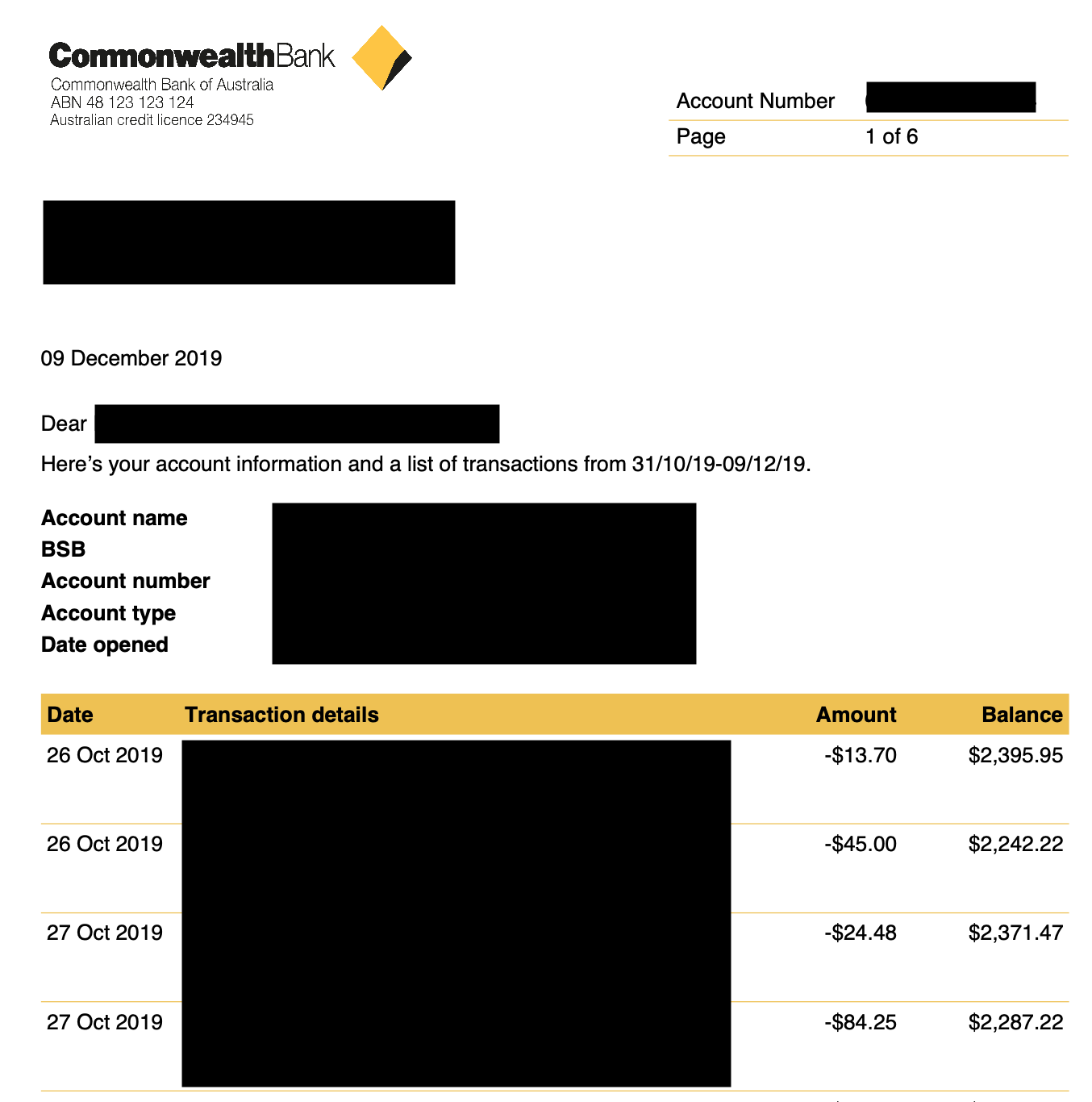
These statements are quite easy to work with. They come in one language, English. The tables have headers. The headers appear in one line. The date values include the year. The amount and balance values have explicit negative signs. Back in those days my algorithm was pretty simple.

Converting Transfer Wise PDFs to CSV
For some reason the international payment company Wise (which used to be called Transfer Wise) issues PDF bank statements. I use Wise to send money overseas, but I don’t use their “Wise Account” feature because it isn’t available in Hong Kong. A lot of other people seem to use it, because we process a lot of PDF statements from Wise users.
The First Format
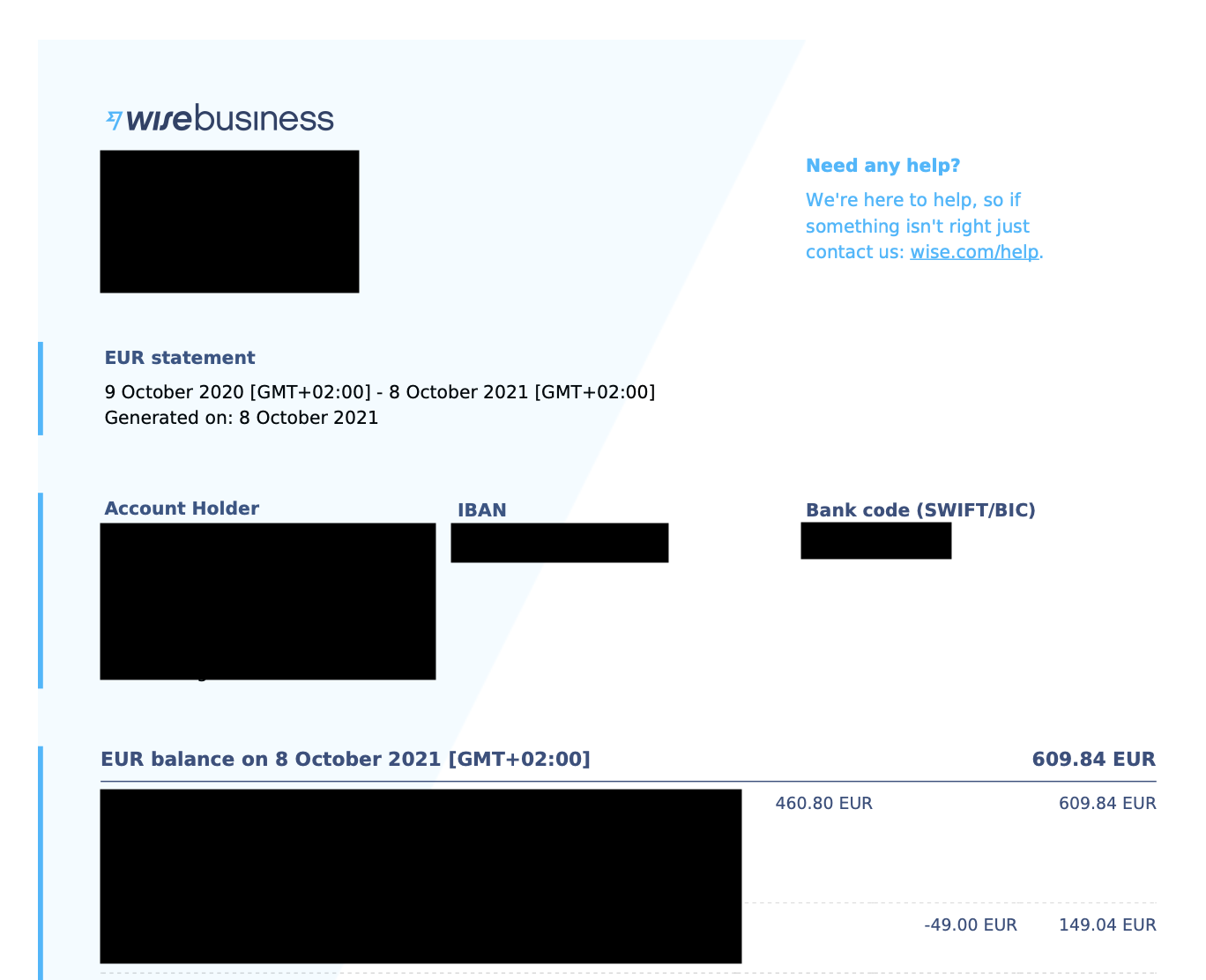
Wise statements used to look like this.

My business is dying
Revenue and Monthly Recurring Revenue are down significantly since we peaked in February 2026.
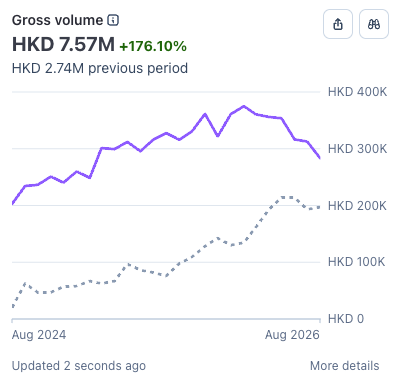
Revenue is down 24% since February 2026.
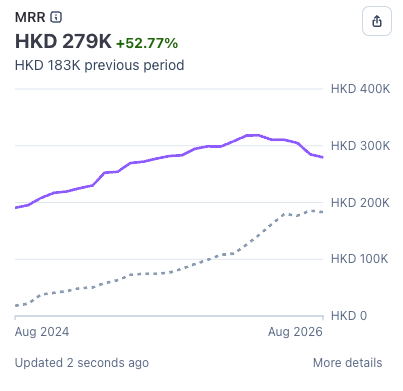
Monthly Recurring Revenue is down 12% since February 2026.
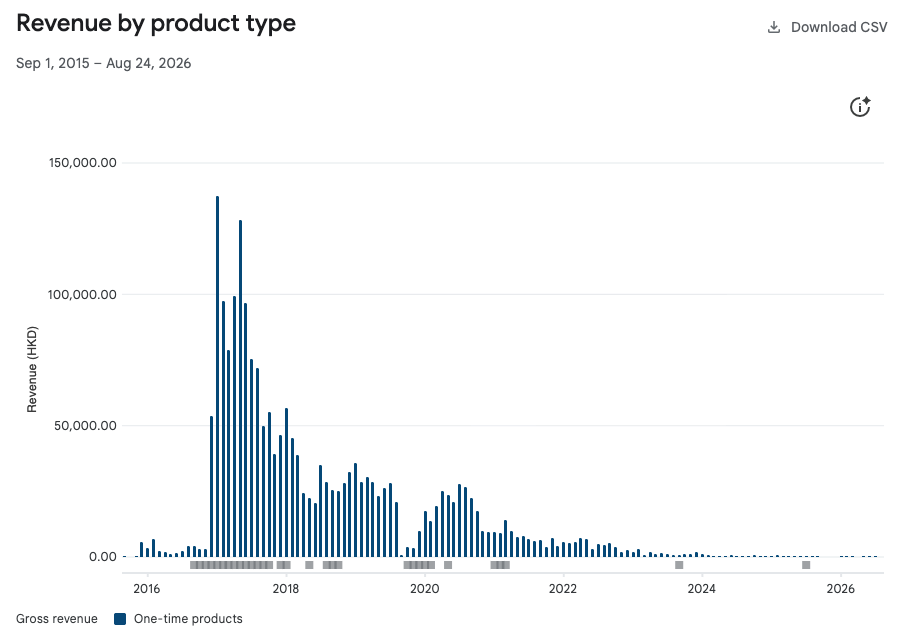
This has happened to me before with an application I made called Girlfriend Plus. In 2017 revenue spiked, but I didn’t do much development on the app. Pretty quickly revenue dropped off. Today it basically makes no money.