Converting Commonwealth Bank PDFs to CSV
By Angus Cheng
When I started working on Bank Statement Converter, the first banks I supported were HSBC and Westpac. I started with those two banks because I have accounts with them. Soon after launching we started receiving a lot of bug reports from users wanting to convert statements from Commonwealth Bank, so they were the third bank we supported.
The First Format
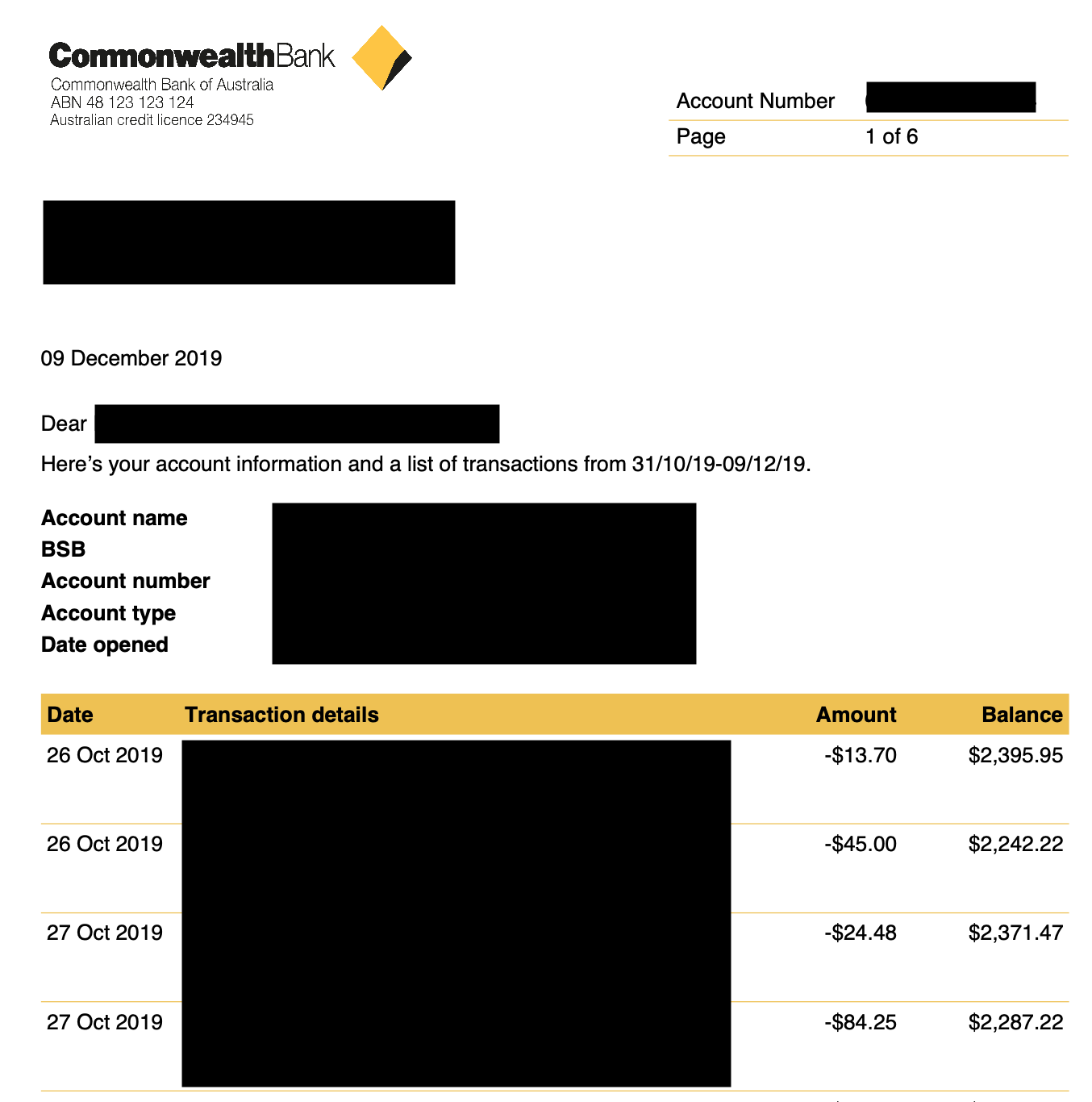
These statements are quite easy to work with. They come in one language, English. The tables have headers. The headers appear in one line. The date values include the year. The amount and balance values have explicit negative signs. Back in those days my algorithm was pretty simple.
- Look out for a header made up of the text “Date Transaction details Amount Balance”.
- Find the bottom of the table by using the spacing of the description column.
- Associate words in the transaction body with the headers.
The Second Format
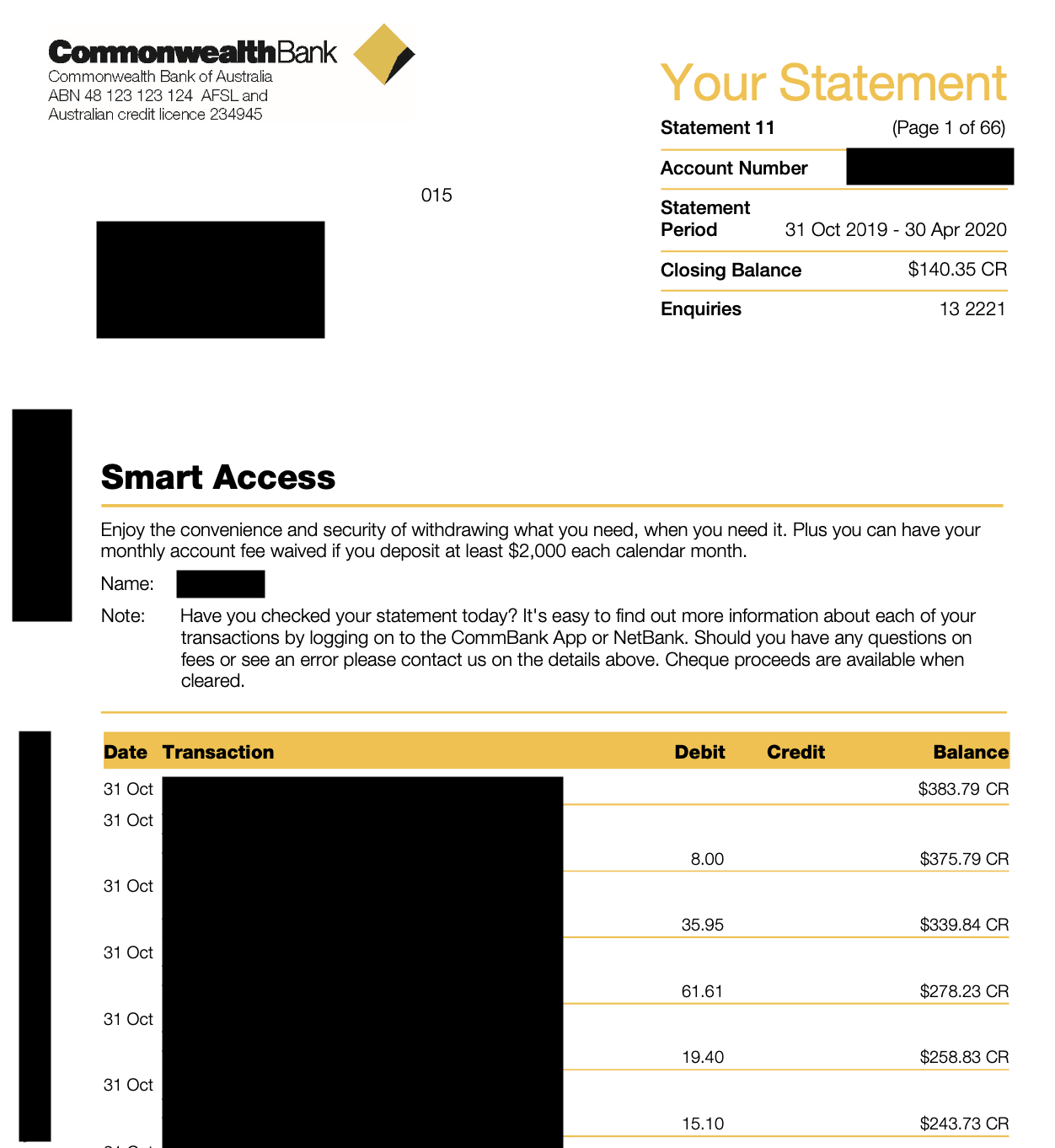
Some time in 2020 Commonwealth Bank changed the format of their PDFs. They added two cool things that I have blacked out. One is a barcode, I’m not really sure what this barcode is for, perhaps it can be used internally by the bank to do something cool. The second cool thing is a horizontal piece of text that I have grayed out. It seems to be some sort of coded data. One piece of it looks like a version string, perhaps it states the version number of the PDF format.
The header has changed slightly “Transaction details” has been simplified to “Transaction”. Personally I think “Description” is a better name for that column, but that’s not for me to decide. Perhaps one day I’ll be the CEO of Commonwealth Bank. Then I will think about renaming the column from “Transaction” to “Description”.
The amount column has split into Debit and Credit columns. This is pretty easy to deal with.
Finally, date values no longer include the year. I suppose users are just supposed to figure out the year by looking at the “Statement Period”. This is fine when you’re looking at your latest statement, it can get confusing when you’re going through statements from years gone by. It seems like a small thing but dropping the year from a date value can cause problems when opening our converted CSV in Excel.
The Third Format
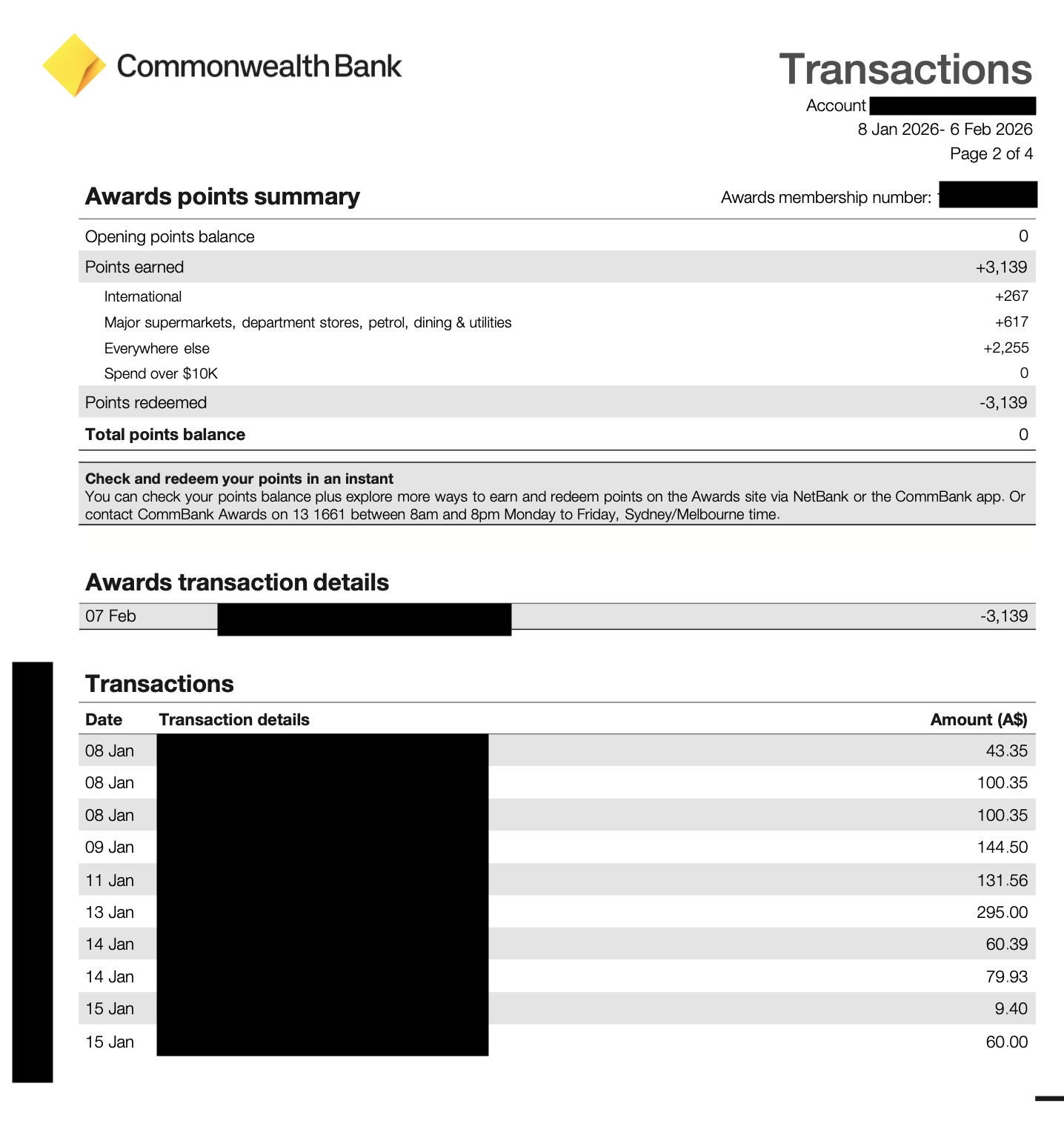
This is a credit card statement. It looks pretty different to the bank statements. A lot cleaner I reckon. We don’t extract credit card point related data, so really the only part we care about is the table under the heading “Transactions”. It’s quite similar to the bank statement format, althought it has three columns instead of five. Overall a pretty easy statement to work with.
Conclusion
PDF statements from Commonwealth Bank are very easy to programmatically extract data from. They’re easy to look at as a human as well. Good on ya Commbank!