Converting Transfer Wise PDFs to CSV
By Angus Cheng
For some reason the international payment company Wise (which used to be called Transfer Wise) issues PDF bank statements. I use Wise to send money overseas, but I don’t use their “Wise Account” feature because it isn’t available in Hong Kong. A lot of other people seem to use it, because we process a lot of PDF statements from Wise users.
The First Format
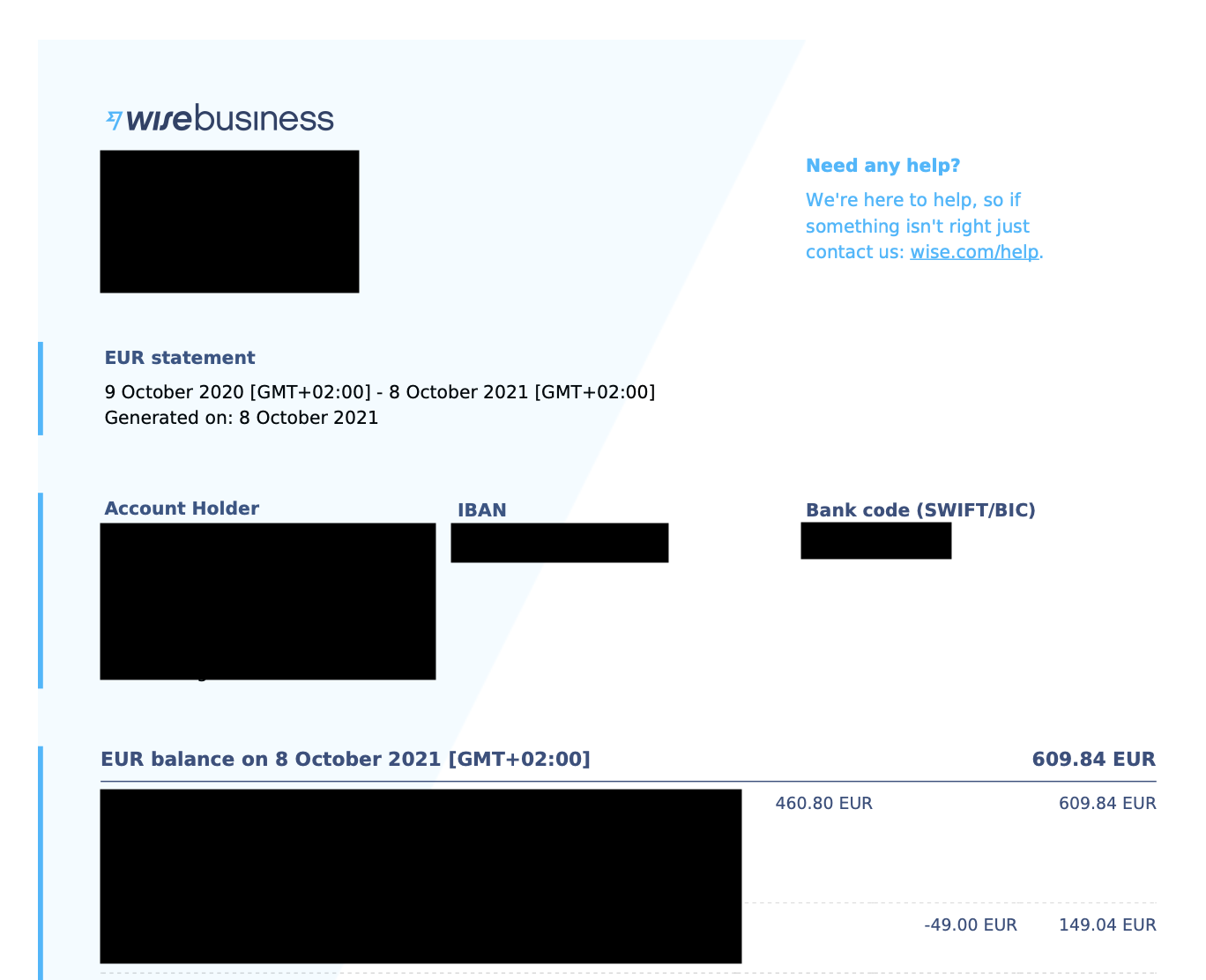
Wise statements used to look like this.
The Second Format
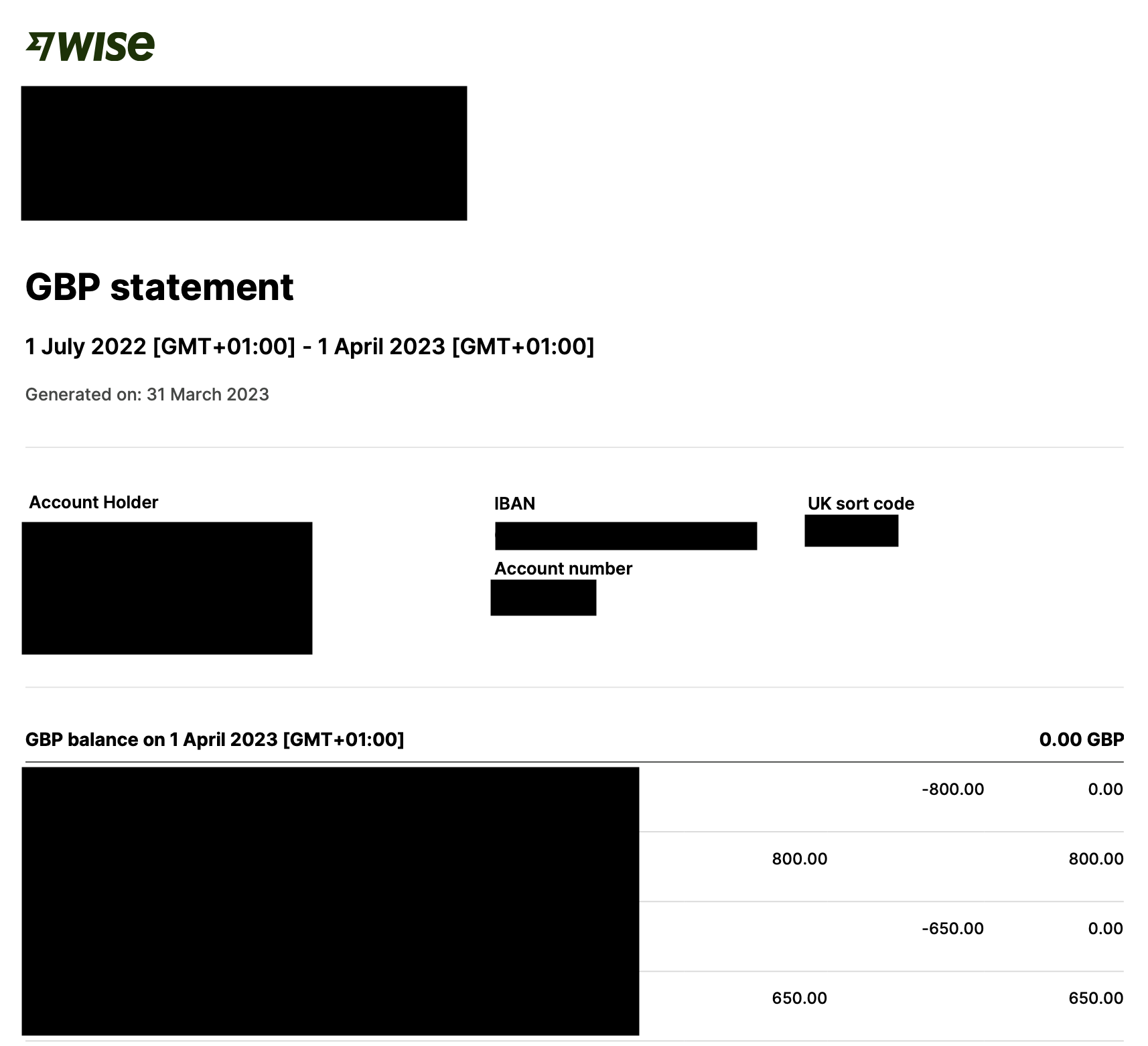
They changed to this theme, gone are the various shades of blue and the cool backing graphic. I guess they made the change because this format prints better. It’s a bit sad because I thought the old format was cool. Oh well. One thing you may notice about this format is that it does not have table headers preceding the list of transactions. There are four columns:
- Description
- Credit
- Debit
- Balance
You could say the headers aren’t really necessary because it should be pretty obvious what each piece of data is. Personally I think it’s nicer to add the columns to make things explicit.
The Third Format
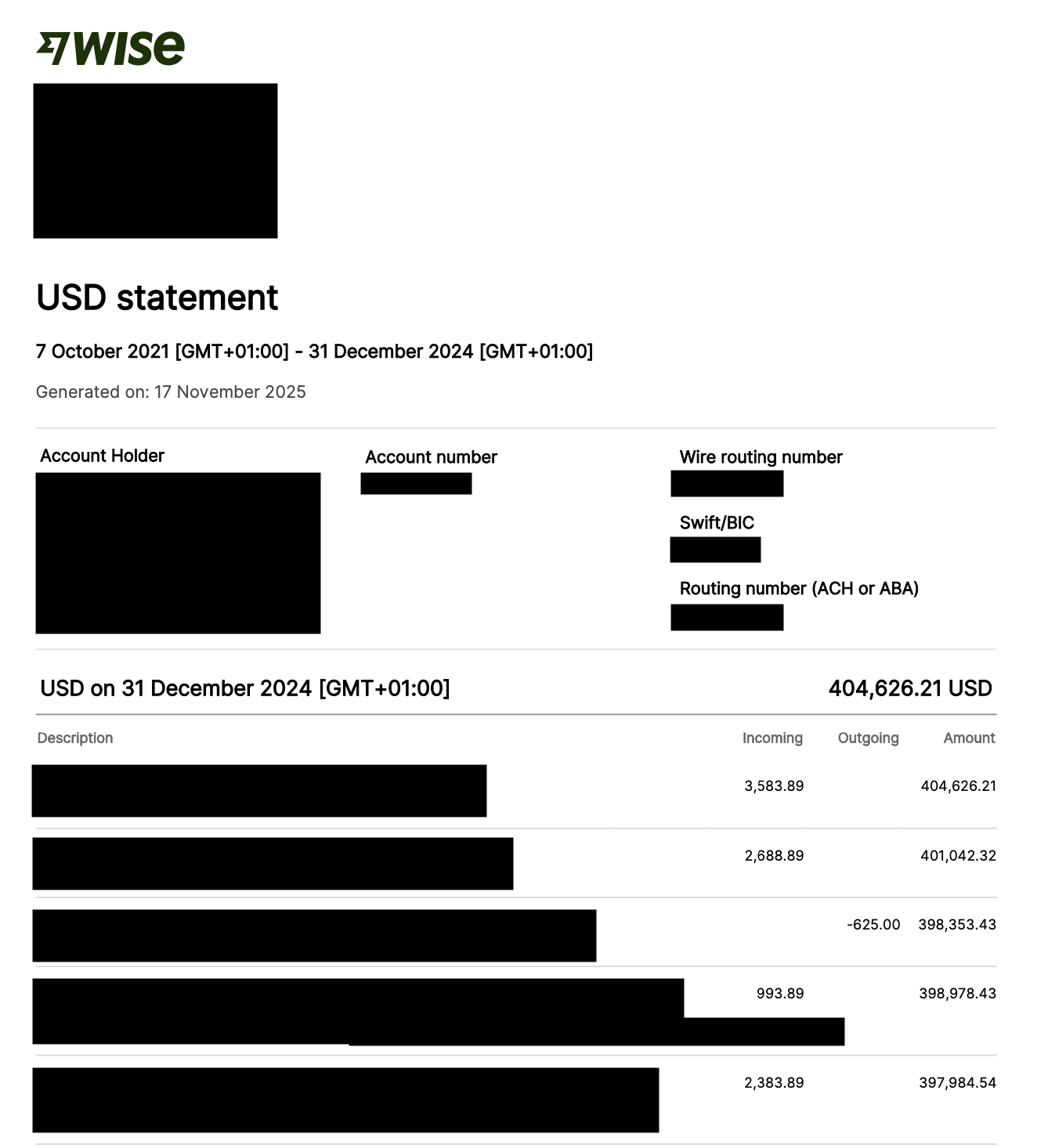
This is the current format, and really the only thing that changed is they added in table headers. “Description Incoming Outgoing Amount”. This looks like a pretty easy statement to process, however it is actually quite difficult to work with because of these reasons:
- There is no date column
- The statements are translated
- The date values are localised
- The amount values are localised
- If a table header exists, it only appears on the first page
- Description text can extend into the three amount columns
1. There is no date column
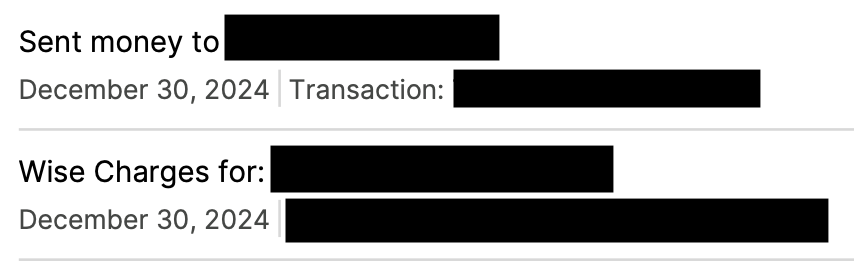
Transactions dates are included in the description column. This is pretty unusual.
2. The statements are translated
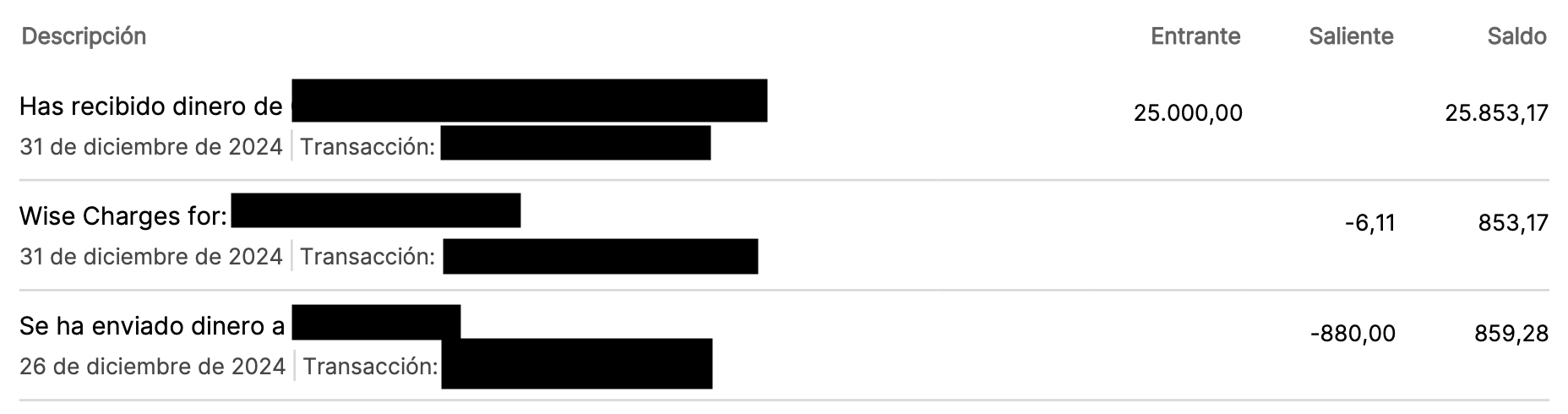
If there is a table header it can be in different languages. If your algorithm looks for the line “Description Incoming Outgoing Amount” it will fail for non-English statements.
3. The date values are localised
As shown in the previous two images, the date format changes depending on the locale. Personally I think this is a little bit insane. What’s wrong with ISO-8601 dates? Do Spanish speaking people really prefer to see a date written as “31 de diciembre de 2024”?
4. The amount values are localised
For some statements thousands separators are periods in others they are commas. The same goes for decimal points. Actually this isn’t really too difficult to deal with. I have a function that validates an amount value and it works for both amount formats.
5. If a table header exists, it only appears on the first page
This is quite a common pattern in bank statements. It’s not the norm, but I’d say about one in ten bank statement formats do this. It makes processing the statement a bit tricky, but I have ways of dealing with it.
6. Description text can extend into the three amount columns

If a description line is long, it can extend across into the amount columns.
How do we convert it?
One nice thing about this format is that the transactions are always separated by grey horizontal lines. This makes it really easy to delineate transactions.
The statements are translated, one way to deal with this is to look out for multiple table headers. Alternatively, we can assume the positioning of transaction data is the same in different languages. “Balances values will always be between x position 400 and 430” and so on for the other three columns.
When converting this PDF to CSV, users probably want a date column. To do this we go through the description column looking for text that matches a date format. This is a pain because there are a lot of different possible date formats.
val dateFormat1 = createDateFormat("d MMMM yyyy", Locale.UK)
val dateFormat2 = createDateFormat("d MMMM yyyy", Locale.ITALY)
val dateFormat3 = createDateFormat("d MMMM yyyy", Locale.FRENCH)
val dateFormat4 = createDateFormat("MMMM d, yyyy", Locale.US)
val dateFormat5 = DateTimeFormatterBuilder()
    .parseCaseInsensitive()
    .appendPattern("d 'de' MMMM 'de' uuuu")
    .toFormatter(Locale.forLanguageTag("es"))

val configs = listOf(
    DateConfig(dateFormat1, 3),
    DateConfig(dateFormat2, 3),
    DateConfig(dateFormat3, 3),
    DateConfig(dateFormat4, 3),
    DateConfig(dateFormat5, 5),
)
The number in the DateConfig class specifies how many words to look for when looking for a date. To match the pattern “9 December 2025” we capture three words at a time. To match the pattern “31 de diciembre de 2024” we capture five words at a time. What if there’s some locale that has a variable length number of words? If that happens I’ll get really angry and then call up Transfer Wise and ask them to stop fucking around with their PDFs.
Localised amounts aren’t a big problem because I already have a function that can validate amount values irrespective of their format.
The statement having one header across multiple pages isn’t a problem because we aren’t going to look for a header.
Description text extending across the amount columns does cause problems. As it is at the moment description values can appear in the amount columns. To get around this, I have some code that checks if a piece of text is an amount value. If it isn’t an amount value, I assign it to the description column. If it is an amount value, I assign it based on it’s position.
Limitations
If you look at the code snippet, you’ll see I’m only supporting British, Italian, French, American and Spanish statements. I’m pretty sure Wise supports other locales, and I’ll add support for them over time.
Conclusion
The statements created by Wise are quite hard to work with.